Streamlining Your Business Workflow: The Power of Connecting HubSpot to Other Platforms
When it comes to streamlining processes and maximizing productivity, HubSpot stands out as a powerhouse tool. With its internal automation capabilities, including workflows and sequences, HubSpot empowers users to automate various aspects of their marketing and sales workflows.
But what if you could take it a step further? What if you could seamlessly integrate HubSpot with other essential tools in your business tech stack, such as Slack or QuickBooks?
Automate HubSpot with Slack
HubSpot can be integrated with Slack in several ways to automate tasks and streamline communication. These integrations can significantly improve efficiency, collaboration, and data visibility across your sales and marketing teams.
Notifications
Set up notifications to alert specific Slack channels or individuals when certain actions occur in HubSpot. This could be for new leads, deals closing, or customer interactions. This keeps everyone informed in real-time.
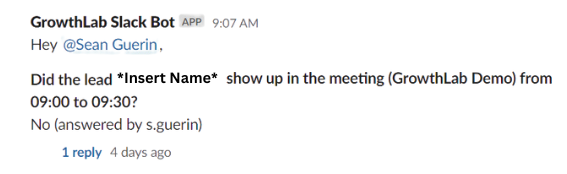
Meeting Alerts
Notify your sales team instantly when a lead has booked a meeting. This helps ensure timely follow-ups and improves lead conversion rates.

Task Reminders
Create tasks in HubSpot from Slack messages or reminders, ensuring that important follow-up actions are not missed by your team, and allowing them to trigger tasks directly from the systems they work in frequently.
Slackbot
Develop custom Slackbot commands that interact with HubSpot data, such as pulling up lead information, updating contact records, or creating new deals.
Workflow Triggers
Trigger HubSpot workflows based on specific Slack activities or messages, automating processes such as lead nurturing, email campaigns, or task assignments.
Automate HubSpot with Quickbooks
HubSpot and QuickBooks Online integration can streamline various business processes and save time on manual data entry. For example, once a deal card moves to closed won, push deal, contact, and organization data directly into your QuickBooks Online account to ease your accounting team's workflows and ensure data is always accurate. Push deal closure information directly into your QuickBooks Online account to ease your accounting team's workflows and ensure data is always accurate.
By connecting HubSpot with accounting tools like Slack, QuickBooks, Xero, and more, you can create a seamless flow of information between your tech stack. Whether it's automatically updating customer information, syncing data, or generating invoices, automation can significantly boost efficiency and productivity.
Automation starts with understanding your business needs and identifying areas where automation can make the most significant impact. That's where
process mapping comes in. If you don’t know which tasks you want to automate, or even if you do know, process mapping will be valuable for you. process mapping is an extremely valuable piece of how to begin the journey of automating your business processes. Whether you're a small startup or a large enterprise, integrating HubSpot with accounting tools can help you work smarter, not harder.
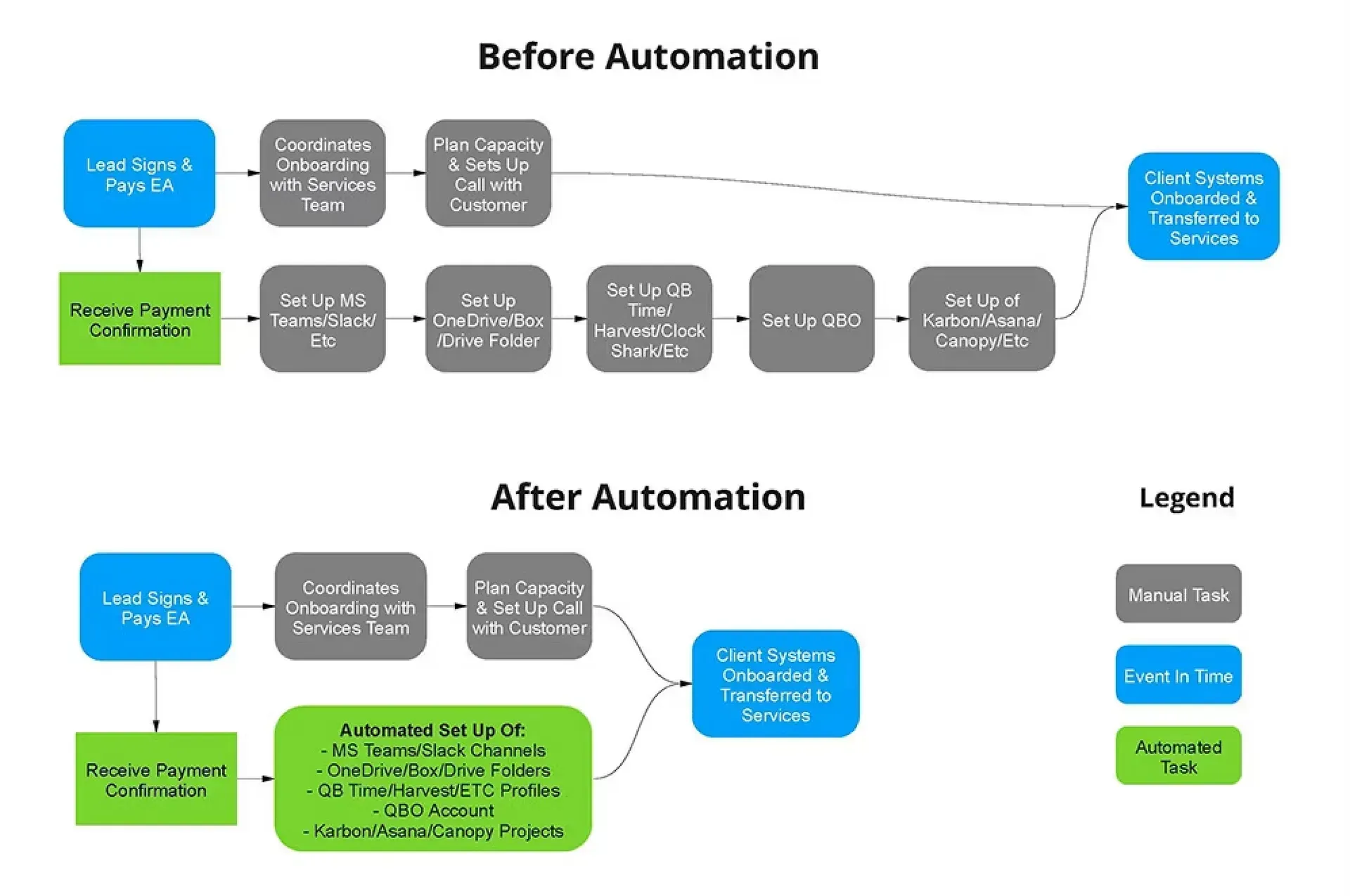
The using
STRMS to automate HubSpot with other tech opens up opportunities for streamlining your business workflow. We work by automating your existing software so you can streamline your workflow with your existing tech stack. We stay by your side to adjust the automations we've built to always ensure they're optimized to your internal processes. Discover the power of integration today and take your business to the next level.
FAQs
Written by
Korey Cournoyer
FAQs
More Blogs